FIG 0.1
Local by default
Pick a local model and tenant data, prompts, and answers stay on this machine. Choose a hosted one and the app says so first.
OpenAdminOS is an open-source desktop app for Intune and Entra admins. Ask your tenant questions, run agents from an open registry, and approve every change before it reaches Microsoft Graph.
Works with the models you already use
Local-first agents for Microsoft 365. Questions, scheduled checks, and reviewed changes, run from the admin's own machine against the tenant they picked.
FIG 0.1
Pick a local model and tenant data, prompts, and answers stay on this machine. Choose a hosted one and the app says so first.
FIG 0.2
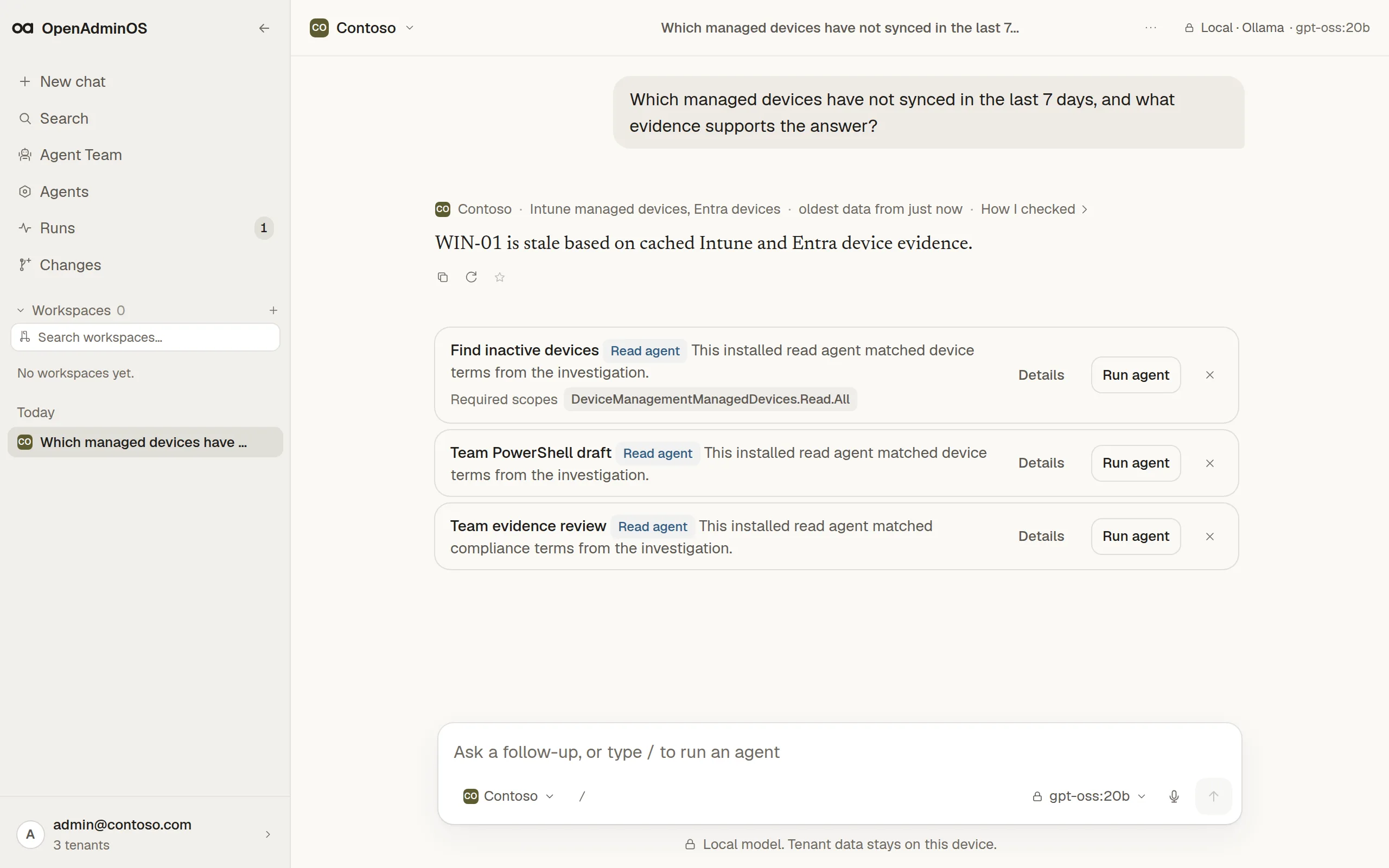
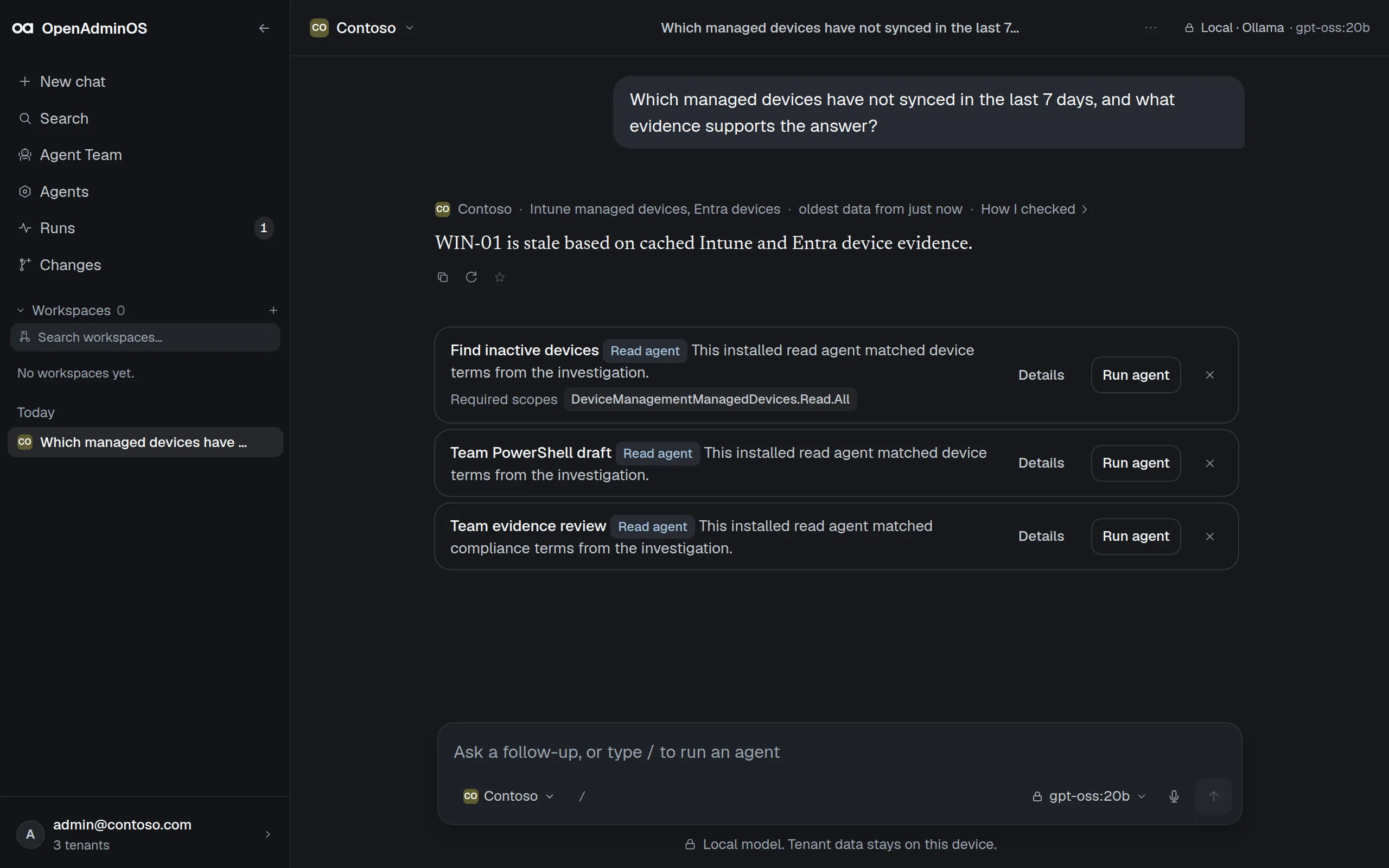
Answers open with the tenant, the Graph sources they read, and how old the data is. Claims carry numbered citations.
FIG 0.3
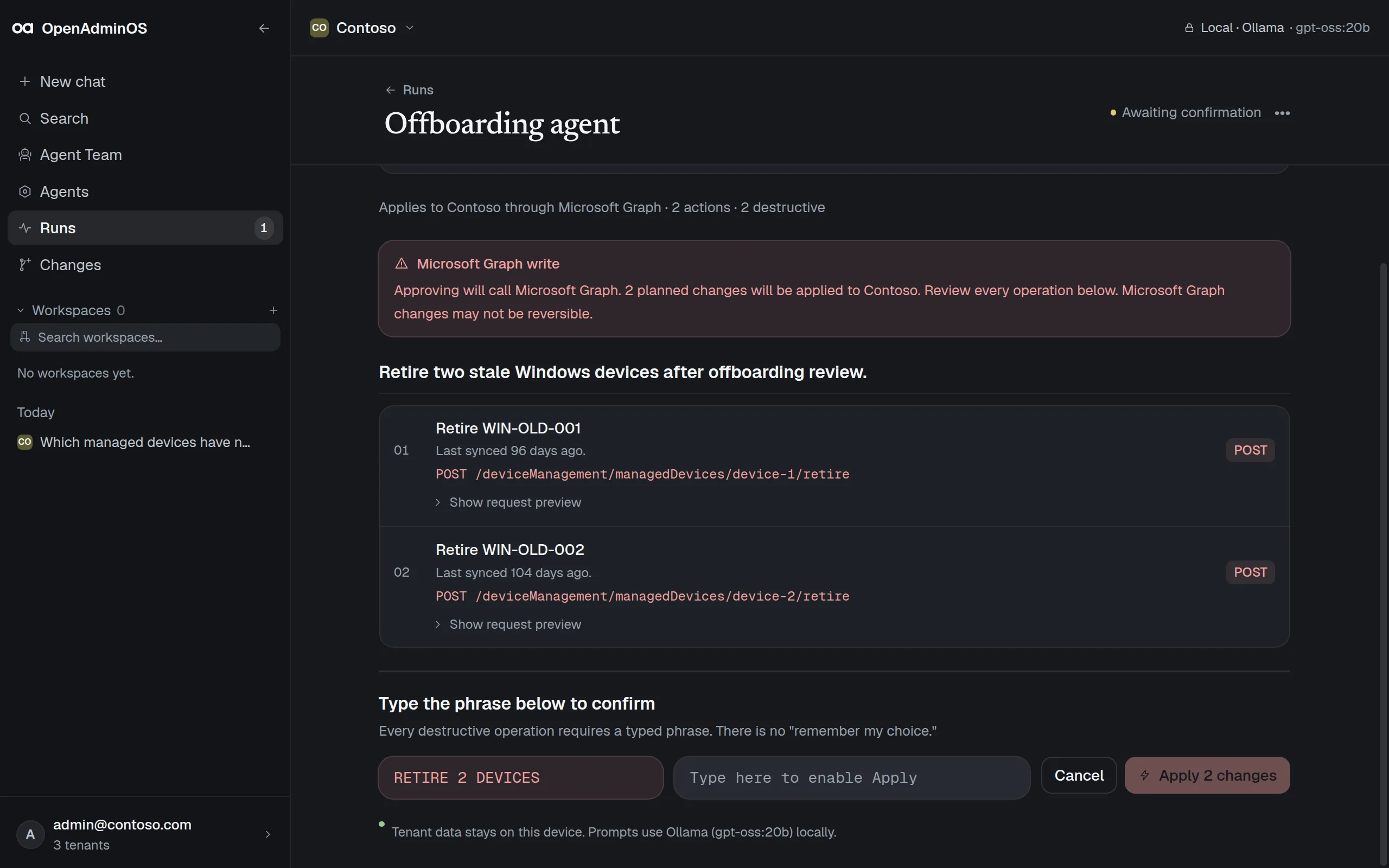
Write agents stop at a diff. Destructive changes stay disabled until you type the exact phrase.
Ask about the tenant in plain language. Each answer states its scope and data age, cites the Graph sources it used, and suggests an installed agent when one fits.
Ask about the tenant in plain language. Each answer states its scope and data age, cites the Graph sources it used, and suggests an installed agent when one fits.
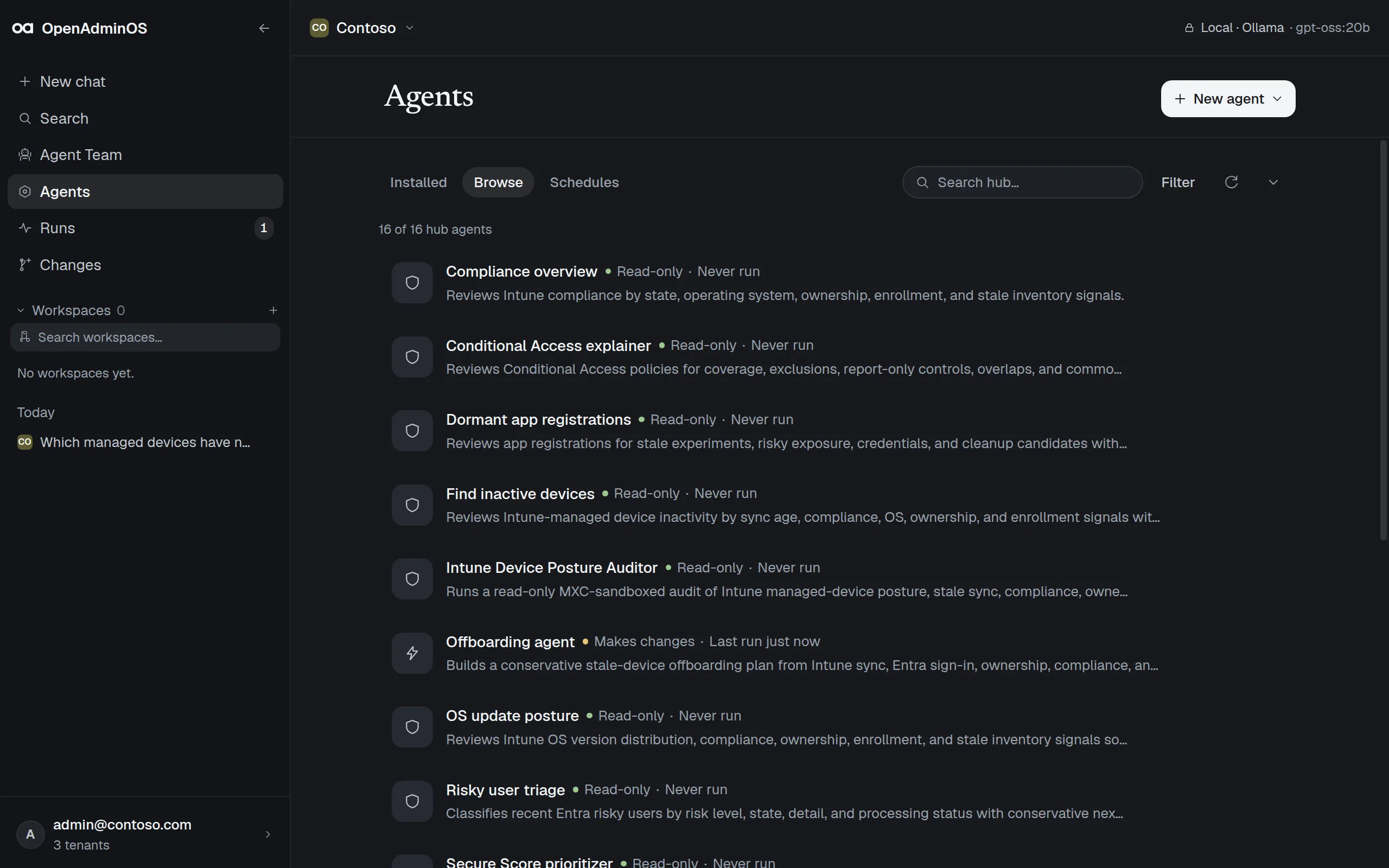
Browse the registry inside the app. Every agent shows whether it reads or makes changes, the Graph permissions it needs, and when it last ran.
How the registry works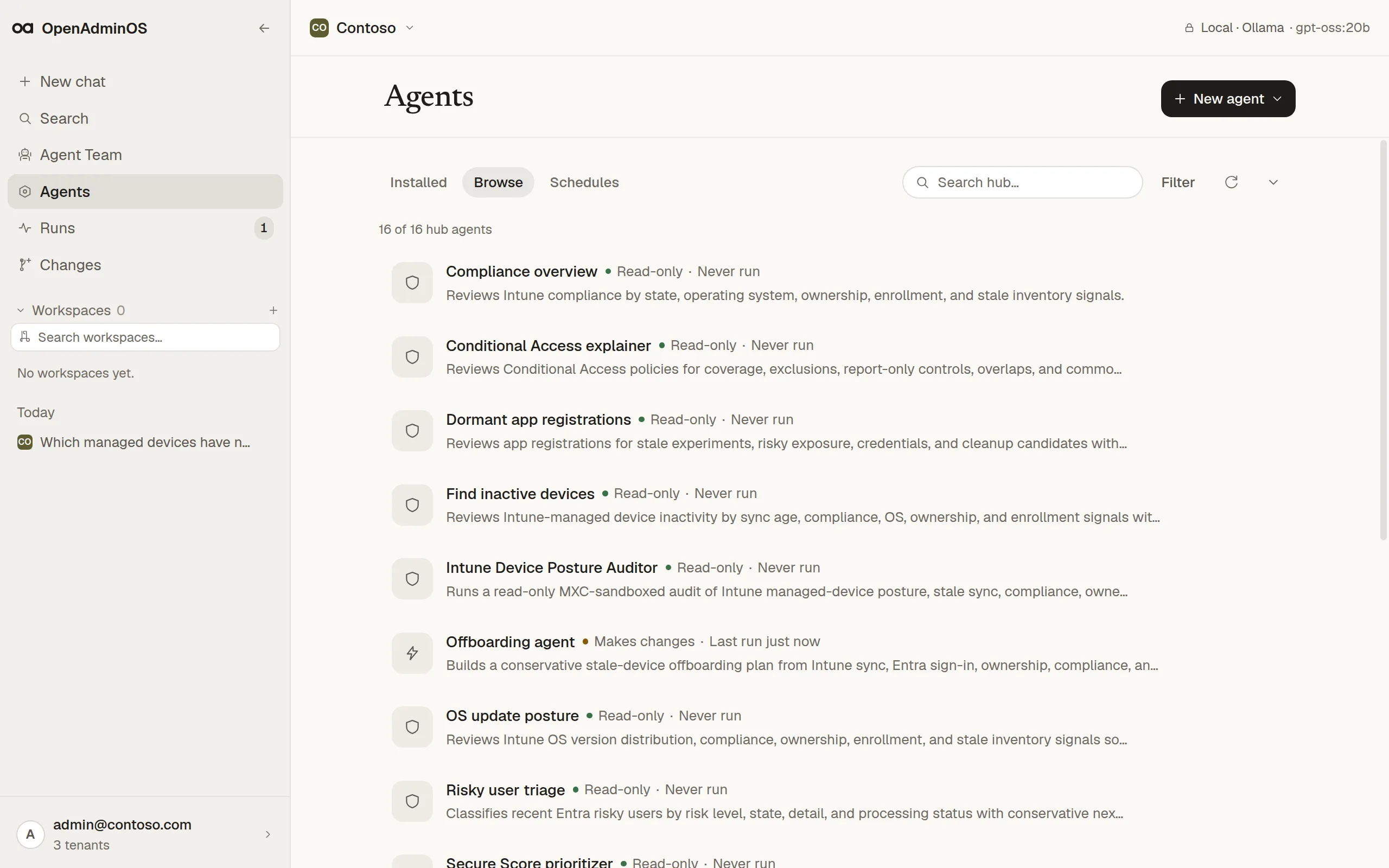
Give a teammate a role, a tenant, a provider, and up to eight installed agents. Run it once or on a schedule; every result links back to the run that produced it.
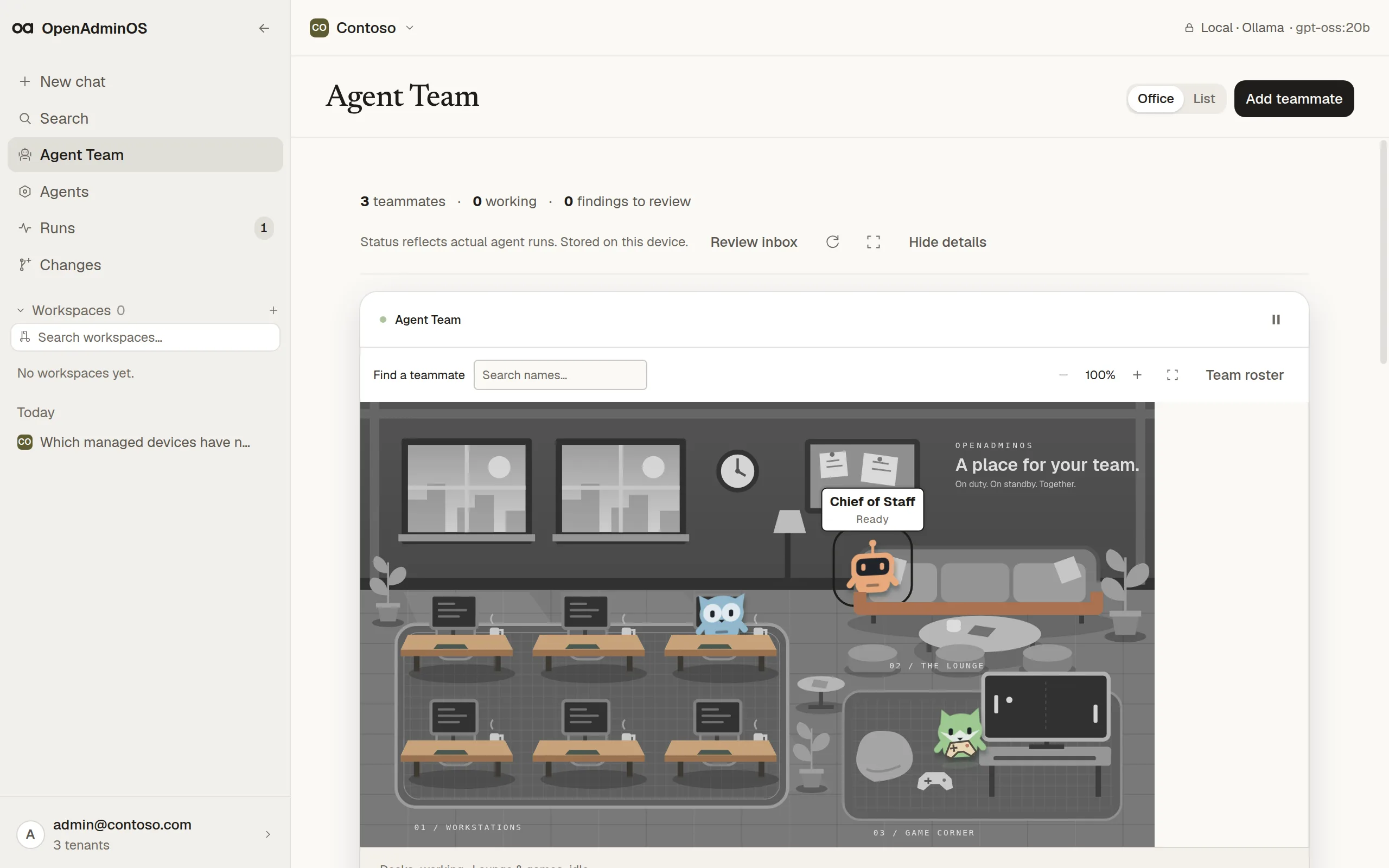
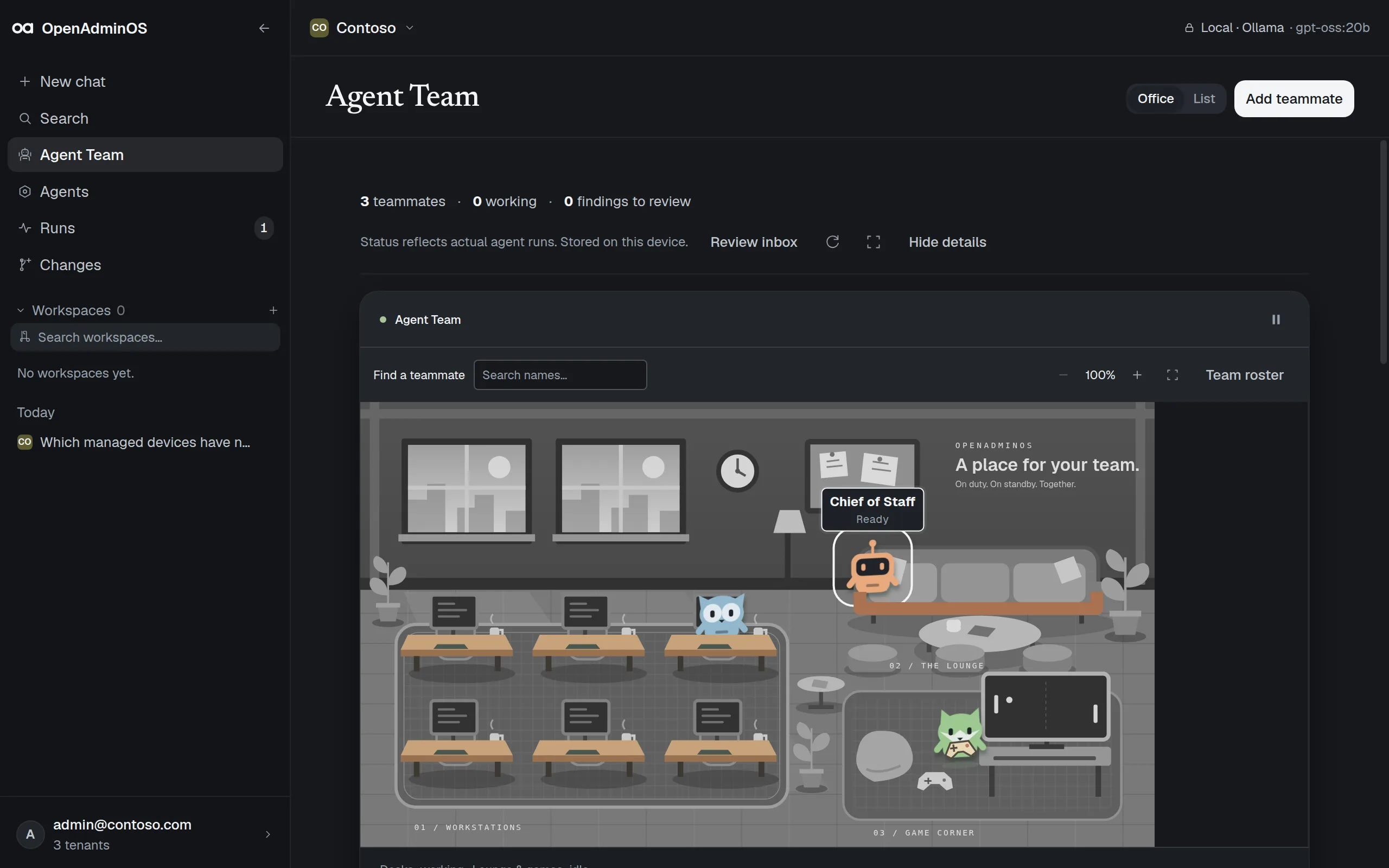
A write agent prepares a plan and stops. You see each Microsoft Graph call and what it touches, then type the phrase to apply it.
Read the trust model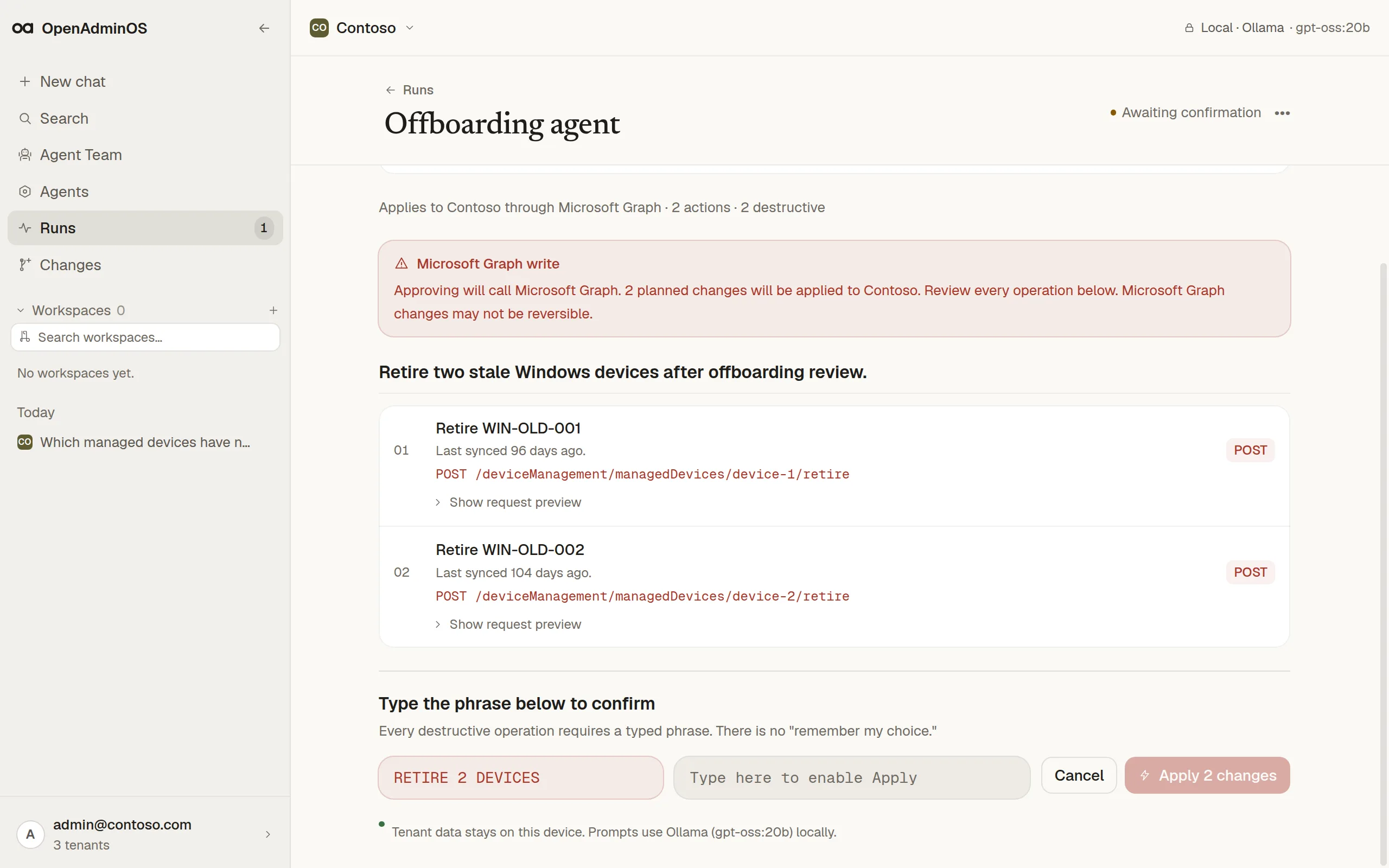
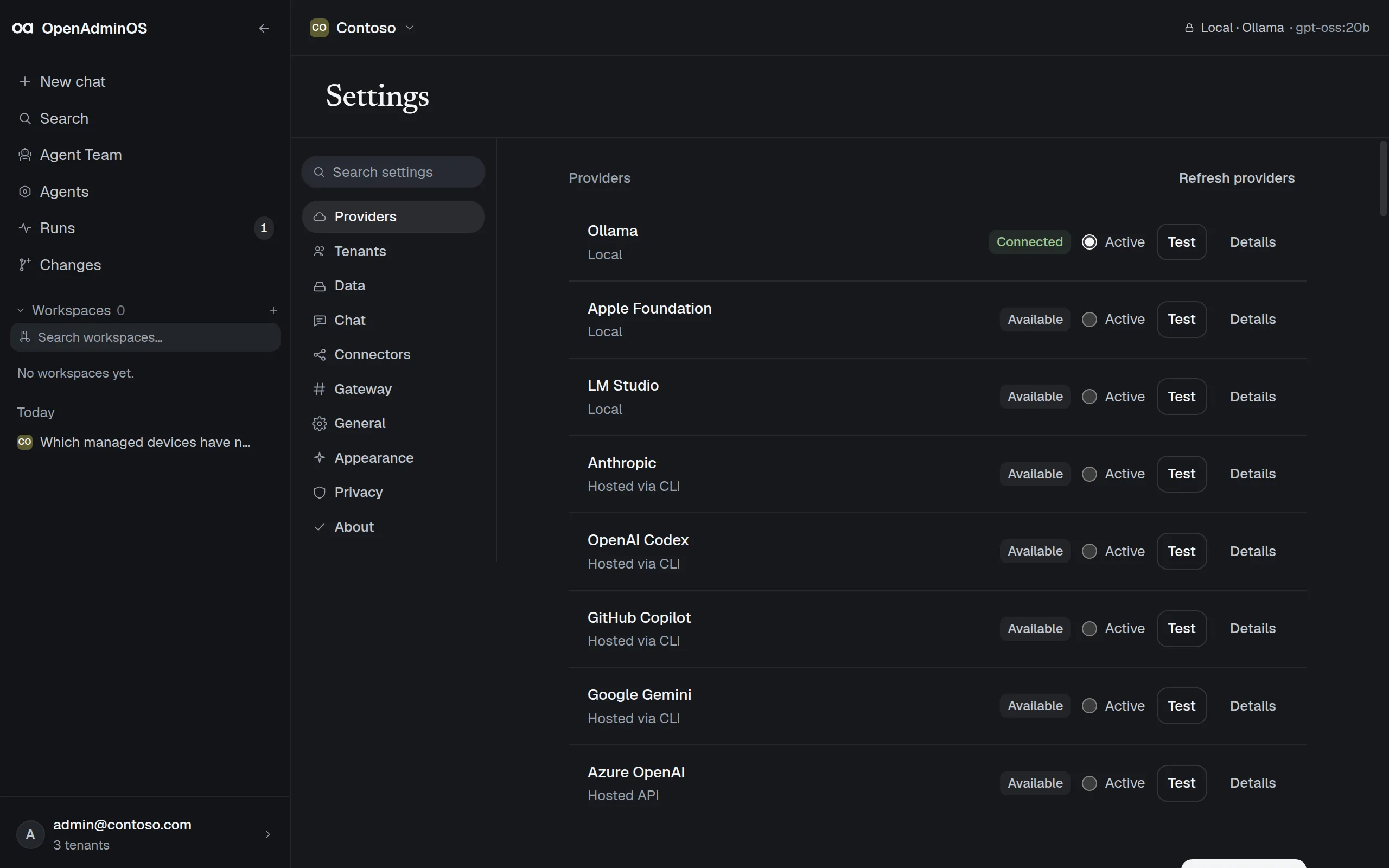
Run Ollama, LM Studio, or Apple Foundation locally, or use a hosted provider through its own CLI or Azure OpenAI. Each is marked Local or Hosted.
Compare model providers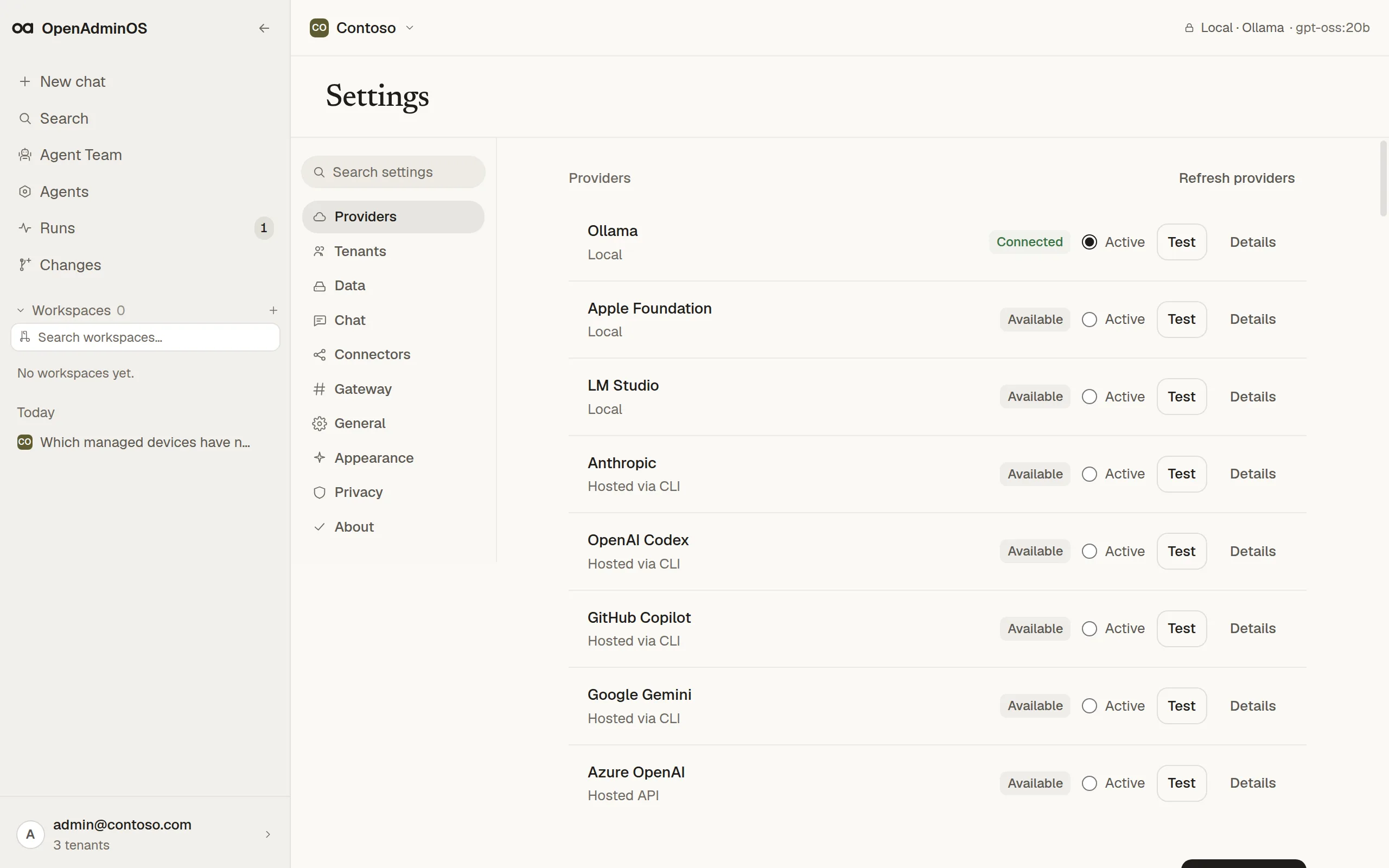
Security
The model you pick decides where prompts go. The app says which before tenant context is sent, and names the provider rather than guessing at a region.
Installing a public registry agent sends an anonymous install count, which you can turn off in Settings.
01
No tenant telemetry
Tenant data, prompts, run results, and error reports are never collected.
02
No agent without a tenant
Nothing runs until an active tenant is connected and shown in the title bar.
03
No write without review
No skip toggle and no trust-this-agent exception, for any agent.
04
Open source, MIT
Read the code that touches your tenant before you connect it.
Write confirmation
Read-only agents run on their own. Anything that changes the tenant stops here: every Graph call listed, the devices or accounts it touches, and a phrase you type before Apply unlocks.
RETIRE 2 DEVICES
Community registry
Each agent is a TypeScript module with a manifest: the Graph scopes it needs, whether it reads or makes changes, and the models it works with. Use the public registry, contribute to it, or point the app at your organization's own.
| Agent | Mode | Graph scopes |
|---|---|---|
| Compliance overview | Read-only | DeviceManagementManagedDevices.Read.All |
| Conditional Access explainer | Read-only | Policy.Read.All |
| Dormant app registrations | Read-only | Application.Read.All |
| Find inactive devices | Read-only | DeviceManagementManagedDevices.Read.All |
| Intune Device Posture Auditor | Read-only | DeviceManagementManagedDevices.Read.All |
| Offboarding agent | Makes changes | DeviceManagementManagedDevices.Read.All, Device.Read.All, DeviceManagementManagedDevices.PrivilegedOperations.All |
| OS update posture | Read-only | DeviceManagementManagedDevices.Read.All |
| Risky user triage | Read-only | IdentityRiskyUser.Read.All |
| Secure Score prioritizer | Read-only | SecurityEvents.Read.All |
16 agents in the public registry.
Research · 100 tasks
We put OpenAdmin 8B, Claude Opus 5, and GPT-5.6-sol through the same Microsoft 365 administration tasks and scored them mechanically. The 4.9 GB (Q4_K_M) local model came out 7 tasks ahead, mostly on write safety.
Read the benchmarkOpenAdmin 8Bruns locally
94/100
Claude Opus 5hosted
87/100
GPT-5.6-solhosted
87/100
Open source

Founder at Jozra
“I'm a huge fan of OpenAdminOS. It's the first tool that let me use local AI with 100% privacy to manage my tenants.”
OpenAdminOS is a local-first agent runtime and open-source desktop app for Microsoft 365, Intune, and Entra administrators. It connects to a tenant through MSAL, reads tenant data through Microsoft Graph, and runs declared agent workflows from the admin's machine. Local LLM providers keep prompts and tenant context on-device; hosted providers remain optional and are labeled before data leaves the workstation.
Not when a local provider is selected. With Ollama or another local provider, tenant data, prompts, and run results stay on the device. If an admin chooses a hosted provider such as OpenAI, Anthropic, or Azure OpenAI, the app labels that tenant context will be sent to that provider.
The product is built around Microsoft Graph and initially focuses on Intune and Entra administration: devices, users, groups, sign-ins, Conditional Access, compliance posture, app assignments, audit logs, and related tenant signals.
Each agent declares its required Graph scopes in its manifest. OpenAdminOS shows those scopes before install and before consent, so admins can see what an agent can read or propose changing before it runs. Enterprises can point the app at a private registry; the same scope declaration and write-confirmation rules still apply.
Write agents always pause at a diff confirmation screen. Destructive operations require typed confirmation. There is no trust-this-agent bypass and no skip toggle for write operations.
No. OpenAdminOS is an independent open-source product from Ugurlabs, a member of the Microsoft AI Cloud Partner Program. It is not made, endorsed, or sponsored by Microsoft. Microsoft 365, Intune, Entra, and Microsoft Graph are Microsoft trademarks and are referenced only to describe compatibility and administration targets.
Install the app, sign in with Microsoft, and pick a model. Read-only agents run once consent is granted. Changes wait for you.